

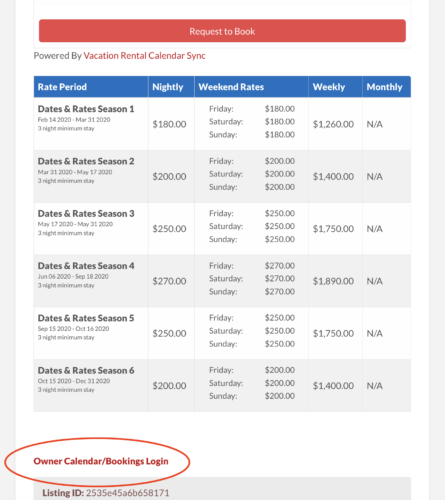
1) At the bottom of your listing there is a place where it says “Owner Calendar/Bookings Login” (See Image To The Left).
2) Click on that link and log in from there – you will be sent to your dashboard (See Below)
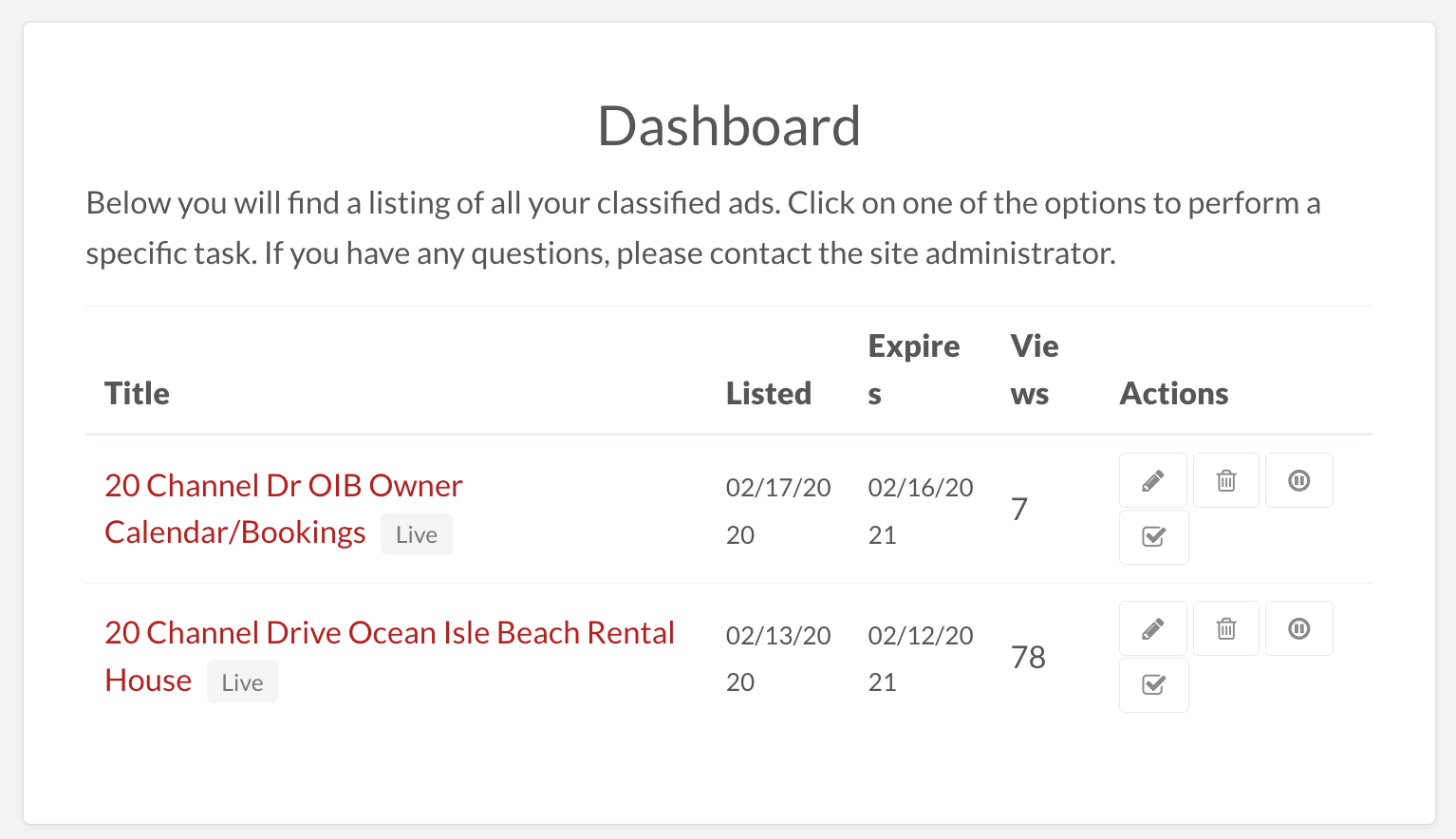
In your dashboard there are two areas – click the Red Link on the top one (similar to the one that says 20 Channel Dr OIB Owner Calendar/Bookings) to view your bookings. Your link will have your property’s name.
If you click the Pencil Icon in the bottom area (similar to the one that says “20 Channel Dr Ocean Isle Beach Rental”) it will take you to a dashboard where all of the information that you furnished to us is listed.
Note: This does not update anything in your listing it is just for us to get the information. You can delete photos from there and they will be deleted from your listing.
If you want to change or add anything please just email to listings@beachrentalsdirect.com – be sure include your property name and location with clear instructions.
Or alternately you can change rates and descriptions, even images and then let us know and we will retrieve the info for your updated info and update your listing for you.
Either way be sure to let us know about any changes at: listings@beachrentalsdirect.com